
 AOMEI Partition Assistant


Windows 7 Disk Management & Partition Magic Windows 7 Alternative
Windows 7 Disk Management was added basic functions like extend partition or shrink partition, however, resizing partition by partition magic Windows 7 alternative, AOMEI Partition Assistant Pro Edition can be realized much more easily.

By Dervish / Updated on May 12, 2023


Quick links:
Windows 7 Disk Management Overview
Disk Management built-in Windows 7 also called Local Disk Manager which provides an impressive graphical interface mapping to your local hard disks and partitions. It not only displays the details of your disks and partitions which can help you diagnose disk and partition problem, but also it can be used for performing disk-related tasks such as resizing partition (extending system partition or shrinking partition), creating, formatting, and deleting partitions, etc.
Benefit of Windows 7 Disk Partition Tool
-
Built-in tool is free for the users
-
Won’t require reboot
-
Graphical interface
The easiest way to access Windows 7 Disk Management:
Right click "Computer"→ select "Manage" → Get the new control panel, open "Storage" and choose "Disk Management" in submenu, and then you will get the following Disk Management:
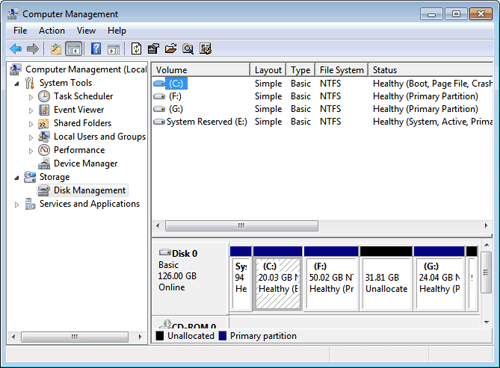
Other three ways to get Windows Disk Management in Windows 7
-
Click "Start" → "Control Panel" → "System and Security" → "Administrative Tools", then double-click the "Computer Management" → "Disk Management"
-
Click "Start". Type "diskmgmt.msc" in the text box and then click "Enter"
-
Click "Start" → "Control Panel", search "partition" in the Control Panel, and then choose Create and Format Hard Disk Partitions.
Disk Management Windows 7 Limitations
Compared with Windows XP/2000/2003 Disk Management, Windows 7 Disk Management has much superiority because it could resize partition at least. Windows XP/2000/2003 Disk Management only could reach simpler partition creation operation some other basic operations. However, if you are familiar with Windows Vista or 2008 Disk Management, you will know much limitations and Windows 7 Disk Management also remained.
There are a few reasons thta can cause extend volume grayed out. For example, Although we see there is unallocated space, extending system partition option is grayed out because between C: system partition and the unallocated space, there is F: partition.
If your hard drive is initialized as MBR partition style, you cannot add free space to a primary partition, nor can you add unallocated space to a logical partition.
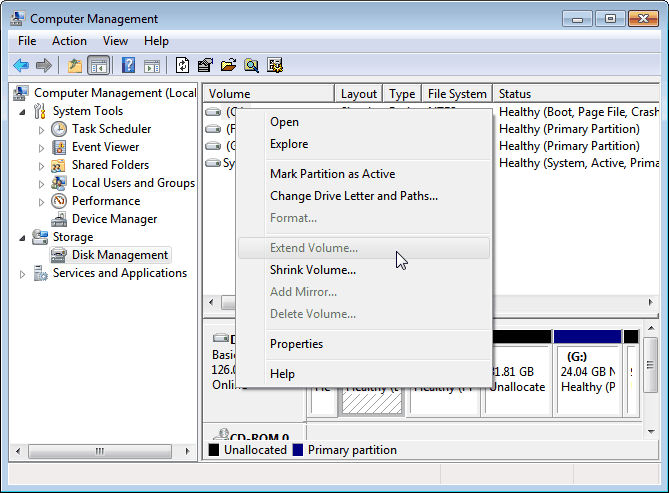
Create partition by built-in Windows 7 Disk Management, sometimes we will get following two messages:
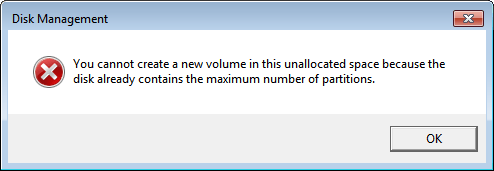
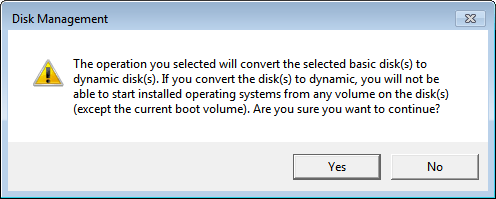
-
Extend system partition grayed out
-
Create partition errors
-
In most situations, Disk Management in Windows 7 can’t shrink a partition to a minimum.Because Windows only allows four primary partitions at most. Solution:Delete one or more primary partitions to re-create partitions
Partition Magic Windows 7 Alternative
Such limitations, how we could manage hard disk well with Disk Management Windows 7? The answer is turning best partition magic pro alternative for help - AOMEI Partition Assistant Professional (PA Pro). It has built three wizards and powerful partition manager together which are used for simplifying and managing hard disk well. Free Download AOMEI Partition Assistant Professional Demo to make a comparison through following form and try its magic:
| Features | AOMEI Partition Assistant | Windows 7 Disk Management |
| Resize NTFS Partition(Extend, Shrink) | √ | √ (limitation) |
| Resize FAT Partition(Extend, Shrink) | √ | ╳ |
| Move Partition | √ | ╳ |
| Merge Partitions | √ | ╳ |
| Allocate Free Space | √ | ╳ |
| Convert Dynamic Disk to Basic | √ | ╳ |
| Migrate OS to SSD | √ | ╳ |
| Create Partition | √ | √ (limitation) |
| Wipe Partitions/Disks | √ | ╳ |
| Copy Partitions/Disks | √ | ╳ |
| Convert FAT files system to NTFS | √ | ╳ |
| Hide/Unhide/ Partitions | √ | ╳ |
Apart from above advantages, what’s more, all these operations can be easily performed with AOMEI Partition Assistant Pro Edition eye-pleasing and simplistic interface. You will be guided to realize all partition operations with ease. Furthermore, all of the features can be supported by Windows 8.1, Windows8, Windows 7, Vista, XP and 2000.
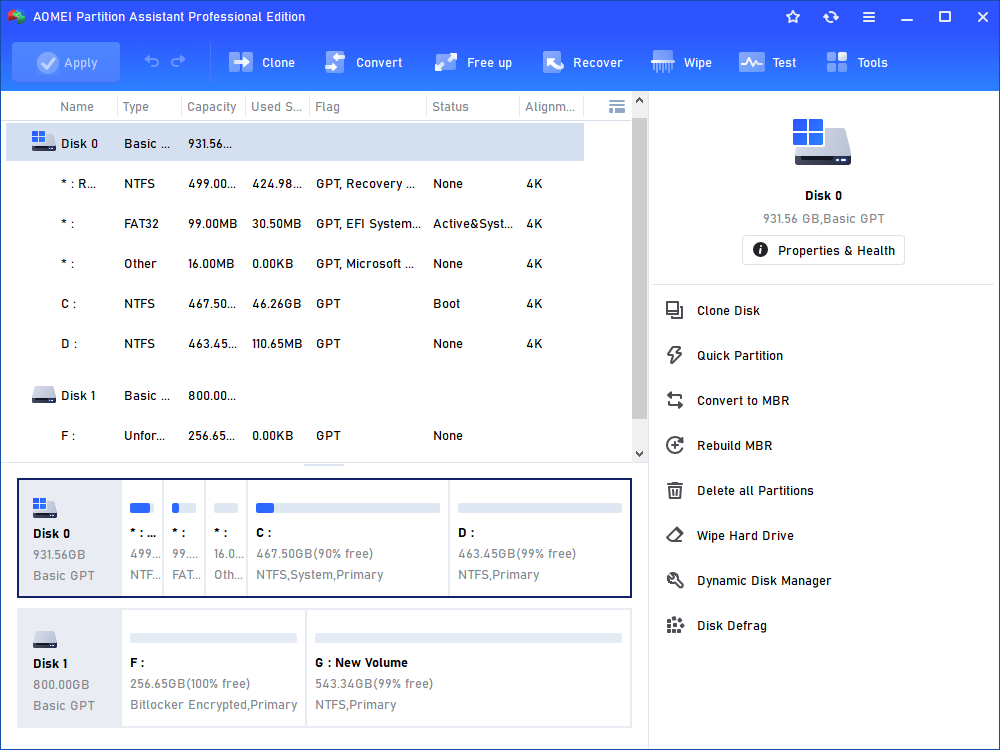 To sum up, although you can use Disk Management to control your partitions, there are limitations. What’s more, if you need to perform more advanced operations such as allocate free space, convert dynamic disk to basic disk, migrate OS to SSD, the built-in tool isn’t enough for you. Therefore, you may try the third party software: AOMEI Partition Assistant Professional Edition.
Related Partition Magic Windows 7 Tutorials