 AOMEI Partition Assistant


How to Resize RAID Partition Easily? |Shrink or Extend
This article will introduce what is hardware RAID and how to resize RAID partition easily, no matter you want to shrink or extend it.

By Bryce / Updated on May 12, 2023


What is RAID?
RAID (Redundant Array of Independent Disks) is a method of combining multiple disk drives into a single entity to improve the overall performance and reliability of the system. The different options for combining the disks are referred to as RAID levels and there are two options Hardware RAID and Software RAID for choosing. Hardware RAID is always a disk controller to which you can cable up the disk drives. Software RAID is a set of kernel modules coupled together with management utilities that implement RAID in Software and require no additional hardware.
Need to resize RAID partition
Hardware RAID is widely used in Windows Servers because it provides greater performance. Meanwhile, many users want to resize RAID partition, especially extend it to get rid of Hardware RAID running out of space warning and optimize the usage of Server operating systems. However, without enough dynamic disk partition knowledge, it will be a little tricky to resize RAID partition, so many users are asking help in forums or google answers.
Best partition manager for resizing RAID partition
So, how to resize RAID partition easily and safely? Considering the easiest & safest method and data security importance, the best choice is to choose a reliable 3rd disk partition manager like AOMEI Partition Assistant Server. This Server partition manager is well compatible with all levels of Hardware RAID and works well under all editions of Windows 11/10/8/7/Vista/XP and Windows Server /2003/2008/2012/2016/2019/2022 (32 & 64 bit).
To extend RAID partition, it provides you with two methods: add a new hard disk to existing hardware RAID and then increase the RAID partition, or resize RAID partition with free space on the existing hardware RAID. Similarly, you can remove a hard disk from the RAID to decrease it, or shrink the existing hardware RAID.
Tutorial: extend or shrink RAID partition
You can download the demo version of AOMEI Partition Assistant Server to preview the operations.
Part 1. Extend RAID partition
If there is no free disk space on the current hard disk, you can add a new hard disk to extend RAID partition.
1. Install and launch AOMEI Partition Assistant Server. Click the target disk. On the right pane, choose “Dynamic Disk Manager”.
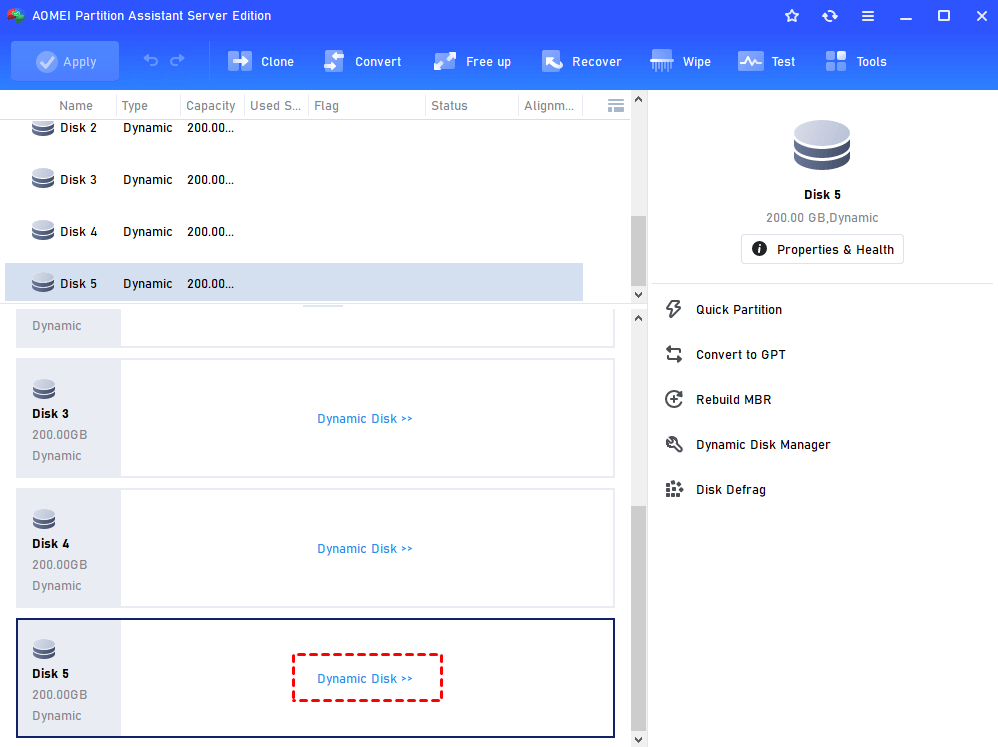
2. Here, you can see the new hard disk is shown as an unallocated space at the end of RAID array. Click “Add Drive to RAID”.
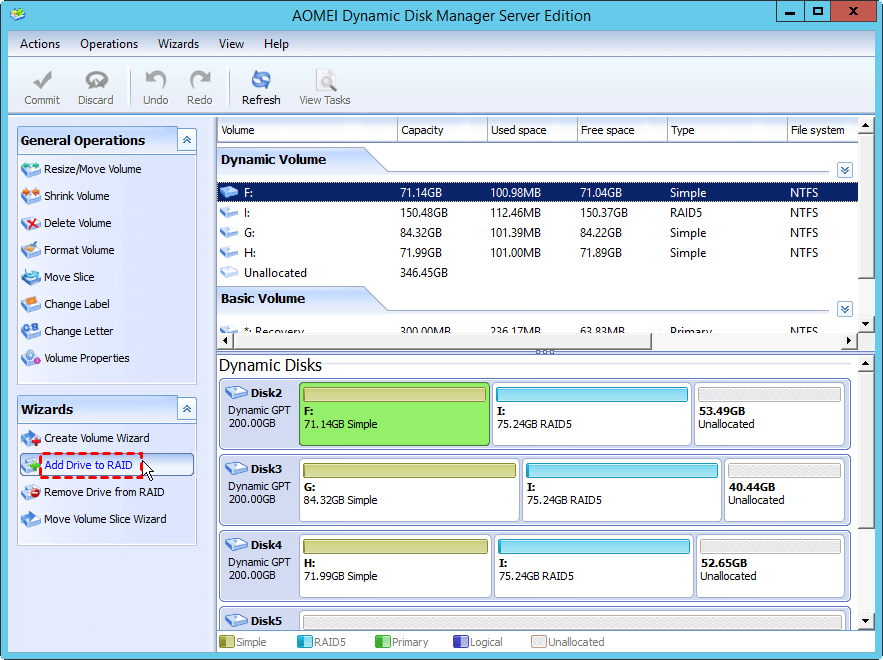
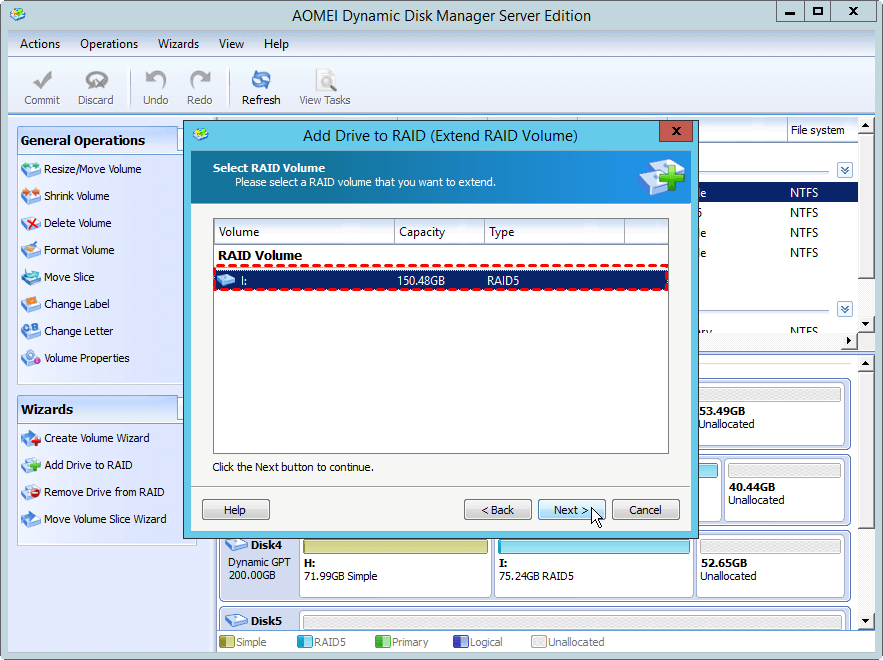
3. Select the RAID 5 volume you want to expand and click "Next".
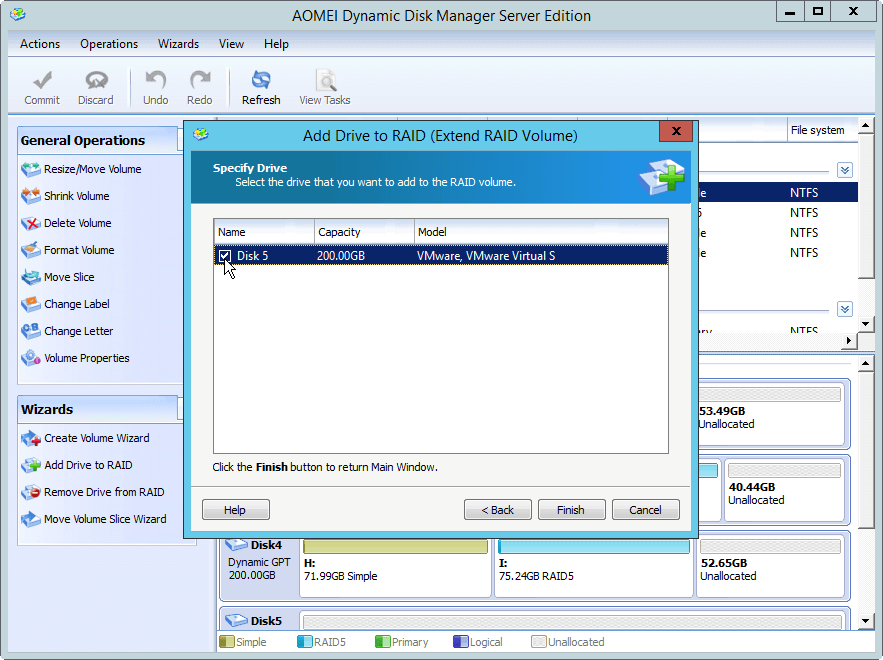
4. Tick the new disk you plan to add to the RAID 5 array. Then, click "Finish".
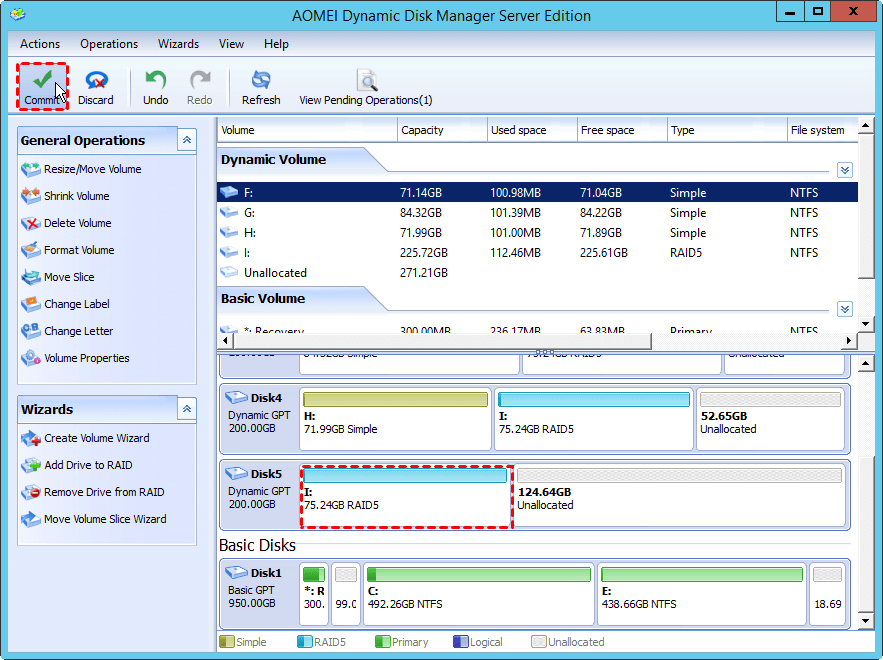
5. Click "Commit" to execute the pending operation.
If there is free space available on the dynamic disk, you can directly extend the RAID partition by the following steps. Or you can shrink another dynamic volume, which has lots of unused space, to get the unallocated space.
1. Launch AOMEI Dynamic Disk Manager and select one of the RAID-5 volume slices, and choose"Resize/Move Volume".
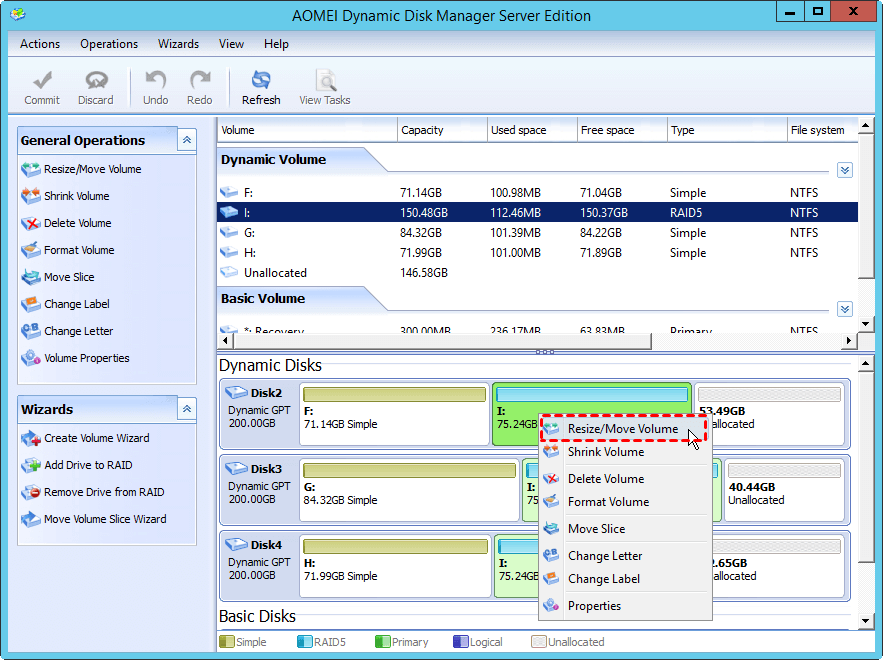
2. Drag the RAID 5 drive to increase its space with the unallocated space, then click “OK”.
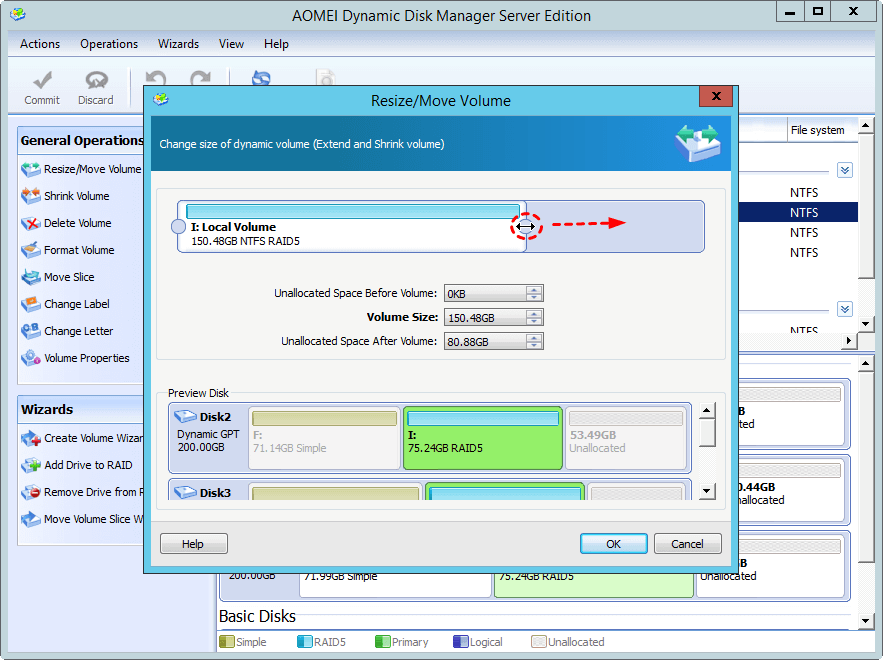
3. Now you can preview the RAID 5 volume has been expanded. Click “Commit” to execute it.
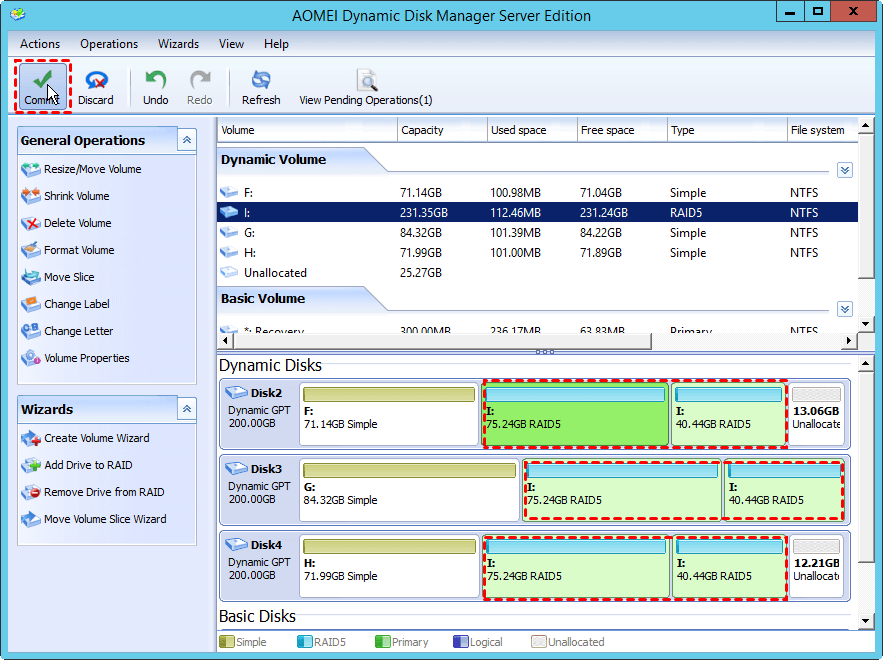
Part 2. Shrink RAID partition
Likewise, to shrink RAID partition, you can remove a hard disk from the RAID array, or shrink one of the existing RAID partition.
To remove a hard drive from the RAID partition:
1. Open the dynamic disk manager window, in which click "Remove Drive from RAID".
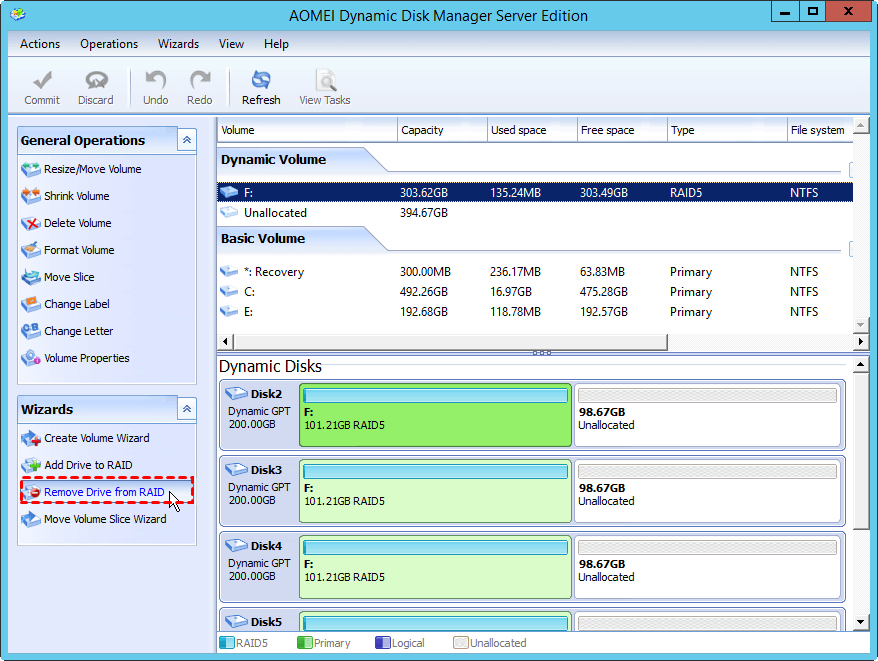
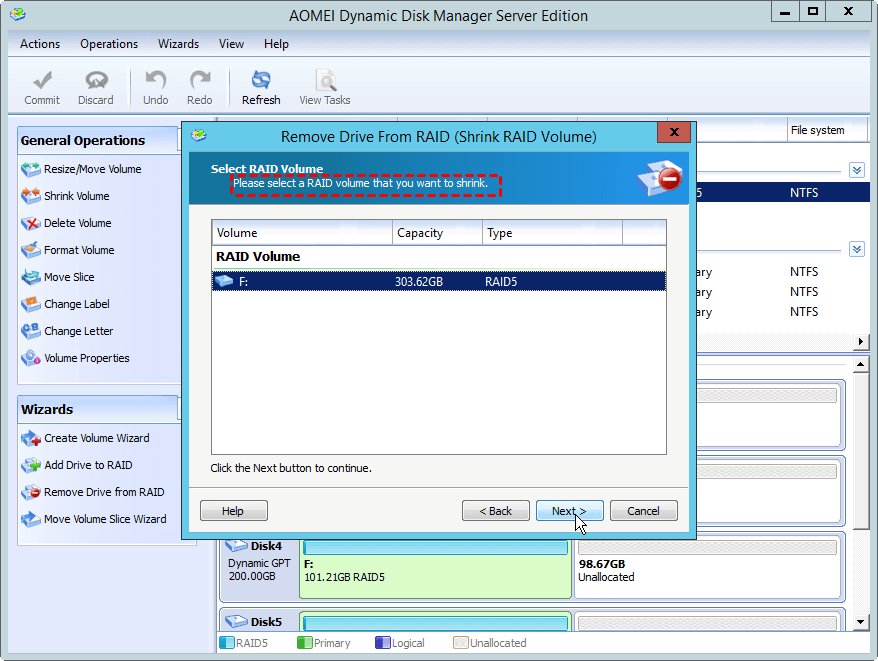
2. Select the RAID 5 volume you wish to shrink and click "Next".
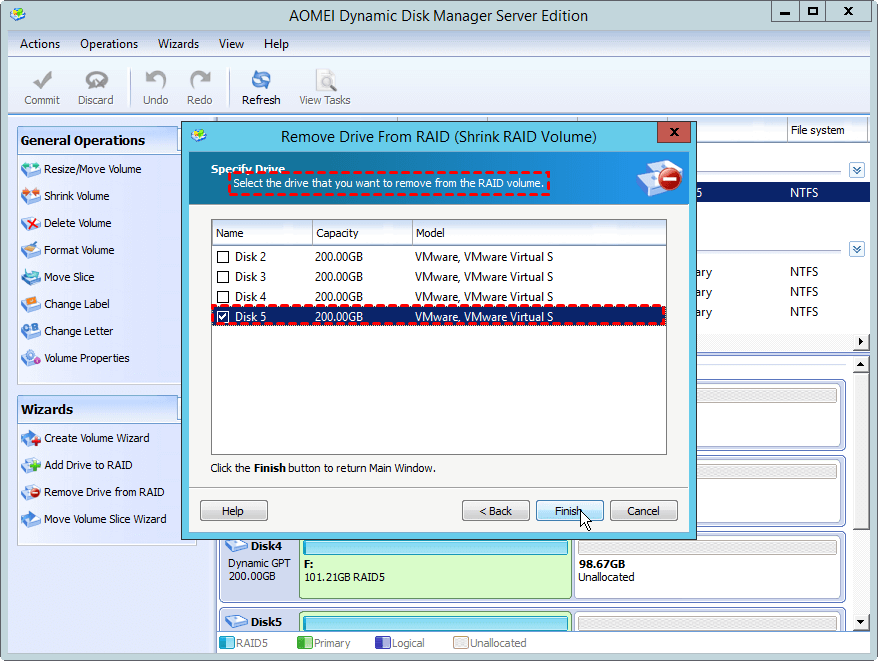
3. Tick the disk you want to remove. Then, click "Finish".
4. Click the “Commit” button to execute the pending operation.
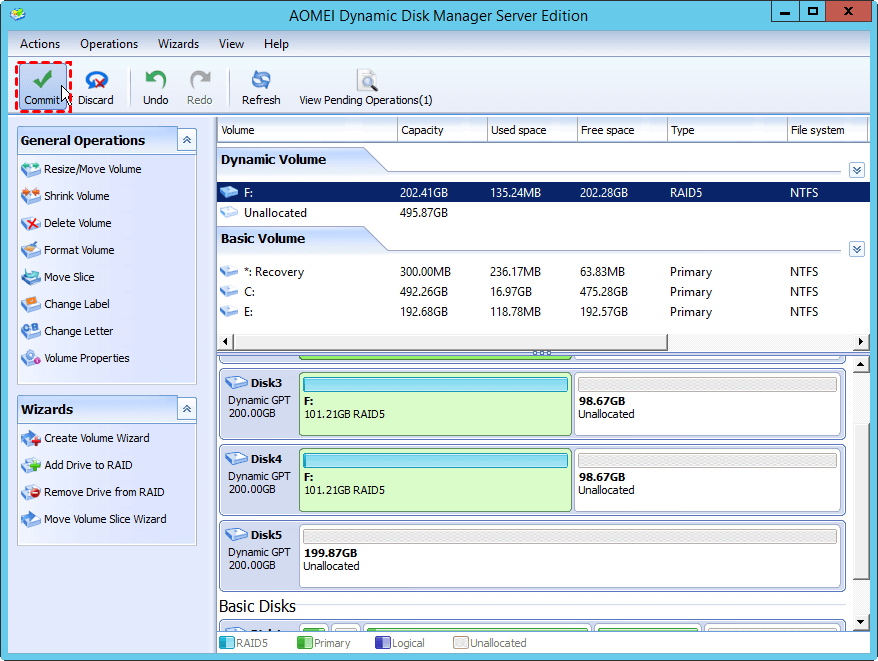
To shrink RAID partition:
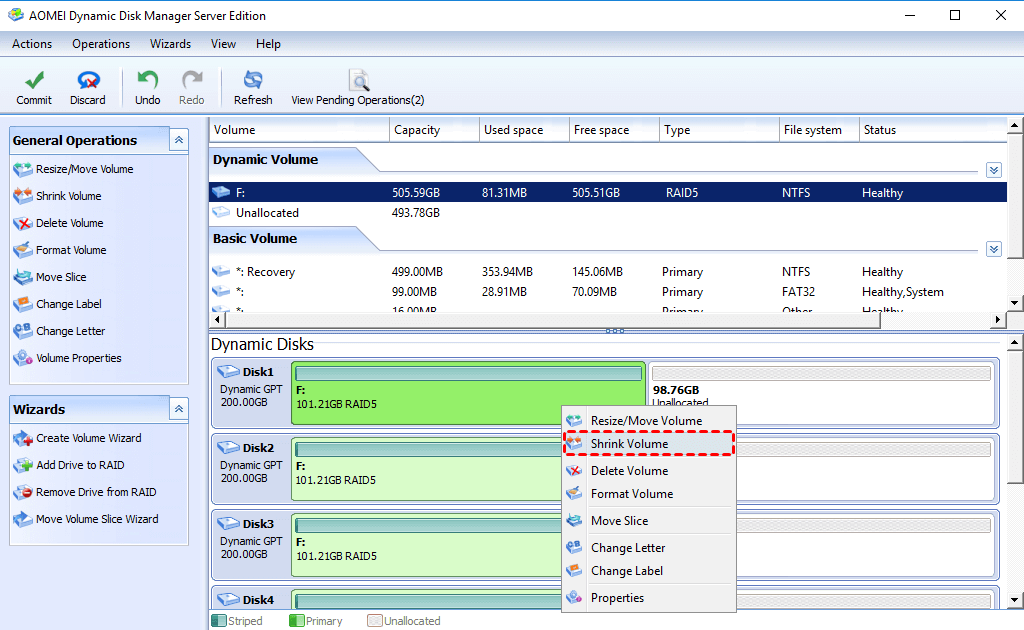
1. Choose one of the RAID partition and select “Shrink Volume”.
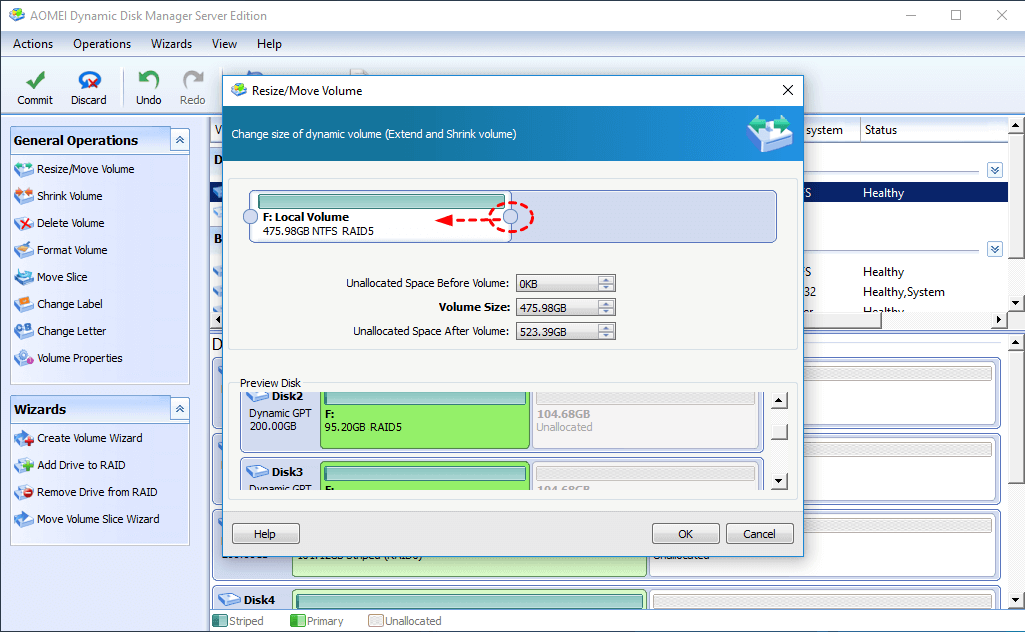
2. Drag the slider to the left side to shrink the selected RAID volume.
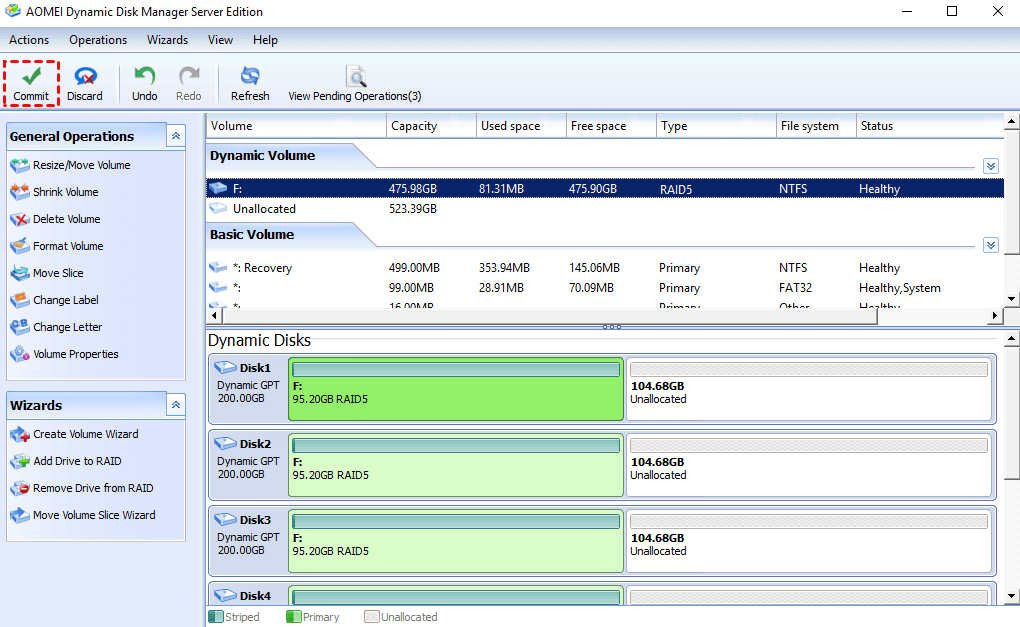
3. Click “Commit” to start executing it.
Summary
So, it will be an easy task to resize RAID partition with the help of this helpful Windows partition manager. Besides, there are many additional features available, like converting dynamic disk to basic disk without deleting volumes, converting MBR and GPT without data loss, transferring OS to SSD/HDD, cloning hard disk/partition, wiping hard disk/partition and so on. If you want to manage multi-servers in one company, choose AOMEI Partition Assistant Unlimited Edition to enjoy the unlimited usage and save money