 AOMEI Partition Assistant


How to Dual Boot Windows 7 and Windows XP?
How can I dual boot Windows 7 and XP? If you have such a question, refer to the post that shows how to dual boot Windows 7 and XP.

By Bryce / Updated on May 12, 2023


About Windows 7
Compare to its predecessors, Windows 7 includes many new features, such as advances in touch and handwriting recognition, support for virtual hard disks, improved performance on multi-core processors, improved boot performance, DirectAccess, and kernel improvements. Therefore, a number of users want to try Windows 7. At the same time, they aren't ready to give up their Windows XP. In such a case, you may wonder how to dual boot Windows 7 and XP on the same computer.
How to dual boot Windows 7 and Windows XP?
Before installing Windows 7, the first things you need to do are to partition your hard drive and create a new partition for Windows 7 installation on your hard drive. Then install Windows 7 on the new partition.
Step 1. Create a partition for Windows 7 under Windows XP
To create a partition in Windows XP, you can use AOMEI Partition Assistant Professional, a free, powerful, reliable partition software that enables you to perform basic and advanced partition operations
1. Install and run AOMEI Partition Assistant Professional.
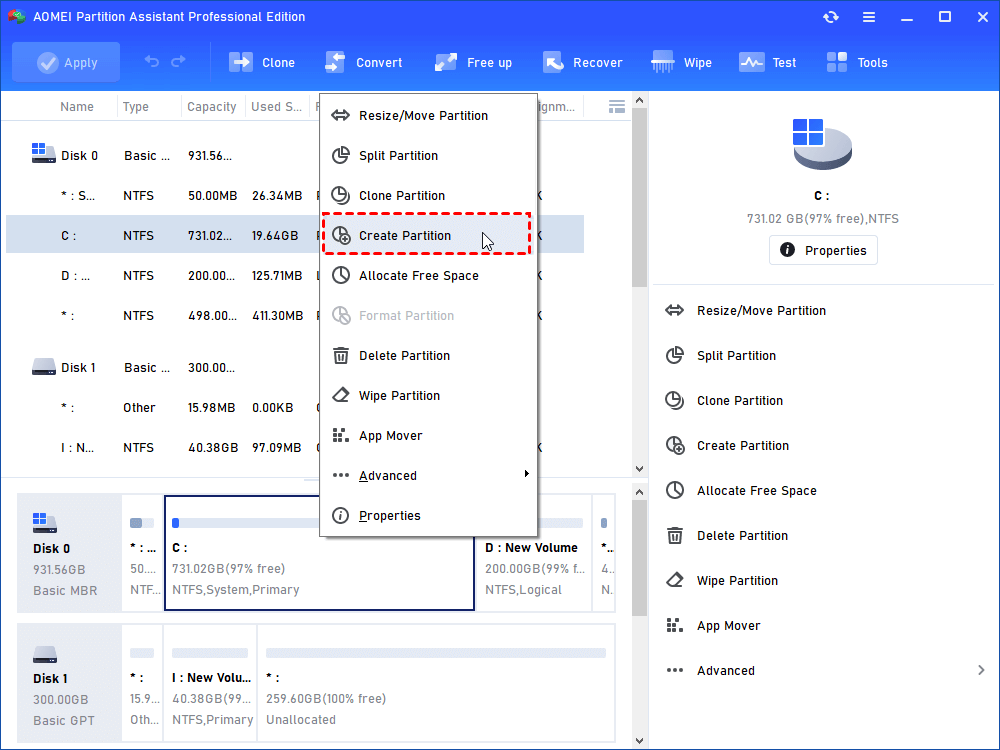
2. Select a partition that has enough free space for creating a new partition for Windows 7 installation (ex: C drive) and select “Create Partition”
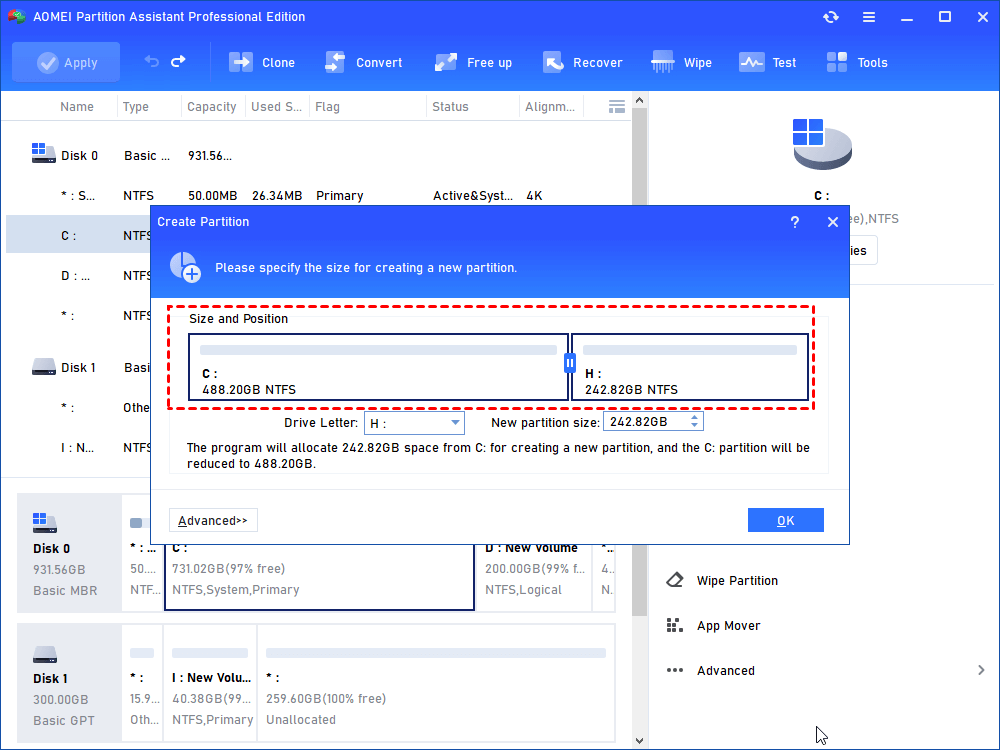
3. In the next window, you can edit the new partition created from the C partition. Set it as a primary partition.
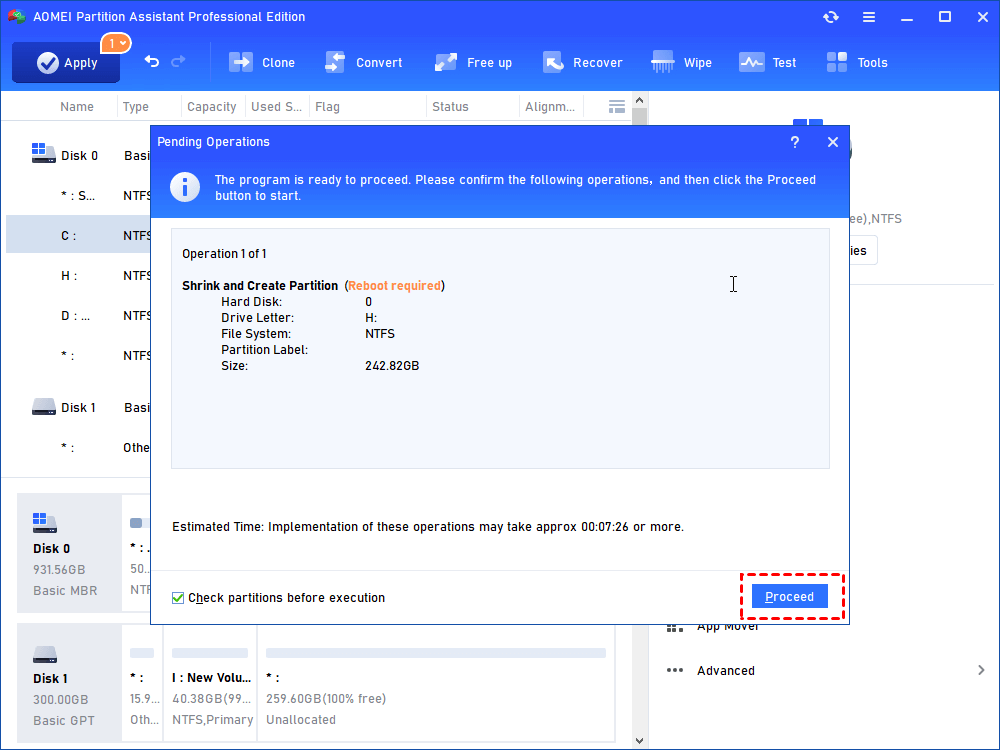
4. Click “Apply” to commit the pending operation.
After creating a new partition, check out the next section to learn how to install Windows 7 on the partition.
Step 2. Install Windows 7 on the new partition
1. Insert your Windows 7 CD/DVD into the optical drive and reboot your computer (you'll need to have enabled booting from your DVD drive in your system BIOS).
2. The fairly simple installation wizard guides you automatically. When you're choosing installation type, be sure to select Custom (advanced).
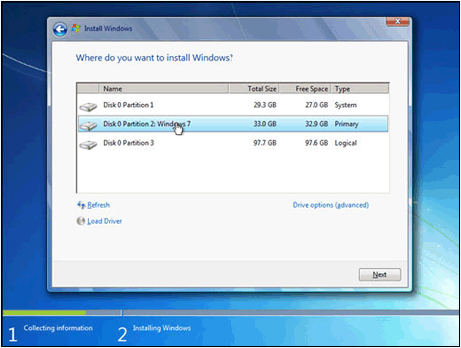
3. Choose the new partition you created and click "Next".
Note: Choose the wrong partition could lead to wiping your other Windows installation altogether, so make sure you pick the new partition you just created.)
4. Windows will run through some installation bits, and restart a few times in the process. Eventually, you'll be prompted to set up your account, enter your license key, and set up Windows.
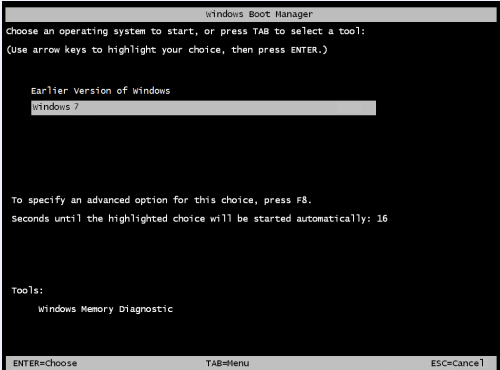
At the moment, you are able to easily boot from Windows XP or Windows 7 and get all the tools necessary to dual boot Windows 7 and XP.
To sum up
This is how to dual boot Windows 7 and Windows XP (XP installed first). What's more, if you need to migrate your settings, documents, and applications from XP to Windows 7, the "Partition Clone Wizard" feature built-in Partition Assistant is the best choice. Besides, it is also able to merge partitions, clone hard disk, transfer OS to SSD drive, and more. For Windows Server users, there is AOMEI Partition Assistant Server available.