 AOMEI Partition Assistant


Permanently Wipe Hard Drive with Free Partition Manager
To permanently wipe hard drive and disk data, you can use the AOMEI Partition Assistant instead of physically destroy hard drive, which is more efficient way to erase the all data on the old hard drive.

By Dervish / Updated on December 12, 2023


Remember to wipe hard drive and disk data
Wiping data from a hard drive before discarding or selling it is an important security measure to prevent unauthorized access to your personal or confidential information. When you delete a file or format a hard drive, the data is not actually erased from the disk. Instead, the operating system removes the reference to the file or the data and marks the disk space as available for use. However, the actual data remains on the disk until it is overwritten by new data.
This means that if you discard/sell your hard drive without wiping the data, it could potentially be recovered by someone with the right tools and knowledge. This is particularly concerning if the drive contains sensitive information such as financial data, personal information, or company secrets.
Wiping the data from a hard drive involves overwriting the entire disk with random data or zeroes, which makes it much more difficult or even impossible to recover any of the original data. There are various software tools available that can securely wipe a hard drive and ensure that all data is irrecoverable.
Professional hard drive disk wipe and data cleaning utility
To permanently wipe hard drive and disk data, you can physically destroy the disk, or use software to erase the disk. For most users, physical corruption may be time-consuming and laborious. So, I introduce you a wipe hard disk freeware - AOMEI Partition Assistant Standard, which can wipe data effectively.
It supports overwriting all sectors with zeros, ensuring that every sector of the hard drive will be overwritten with binary 0's to protect your personal data from stealing. In addition, it offers a graphical user interface that allows you to erase the data on the specified drive with just a few clicks.
It is different when wipe data on hard disk drive (HDD) and solid state drive (SSD) since they have different read and write ways. AOMEI Partition Assistant provides different strategies for these disks, please read following paragraphs to learn them one by one.
- ★Tips:
- Backup data which you don’t want to wipe from the disk you are going to erase.
- A disk will become blank as soon as it has been wiped, by doing so, you can make the full use of this disk by re-partition it.
- If you need to wipe the system hard drive, you ask to restart into PreOS mode, or you can make a bootable USB and do the clean in Windows PE mode.
How to clean up data on HDD
This part will show you how to erase an entire hard drive or a single partition on the HDD.
▶ Wipe entire hard drive
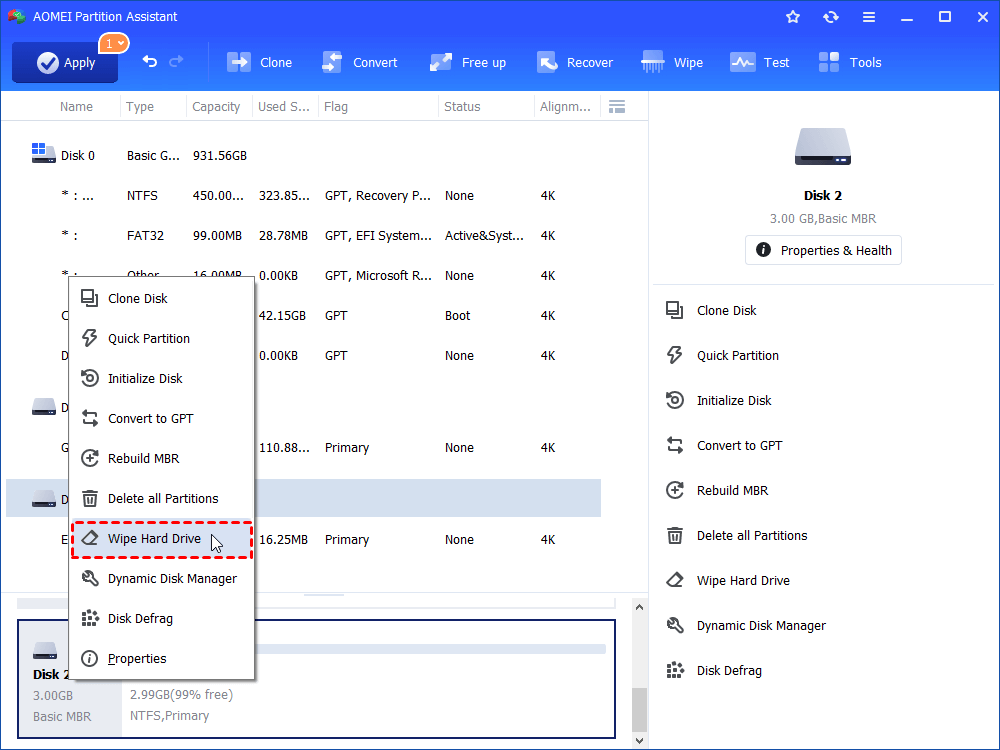
Step 1. Download, install and open AOMEI Partition Assistant and right-click on the hard disk drive you want to wipe, and select "Wipe Hard Drive" option.
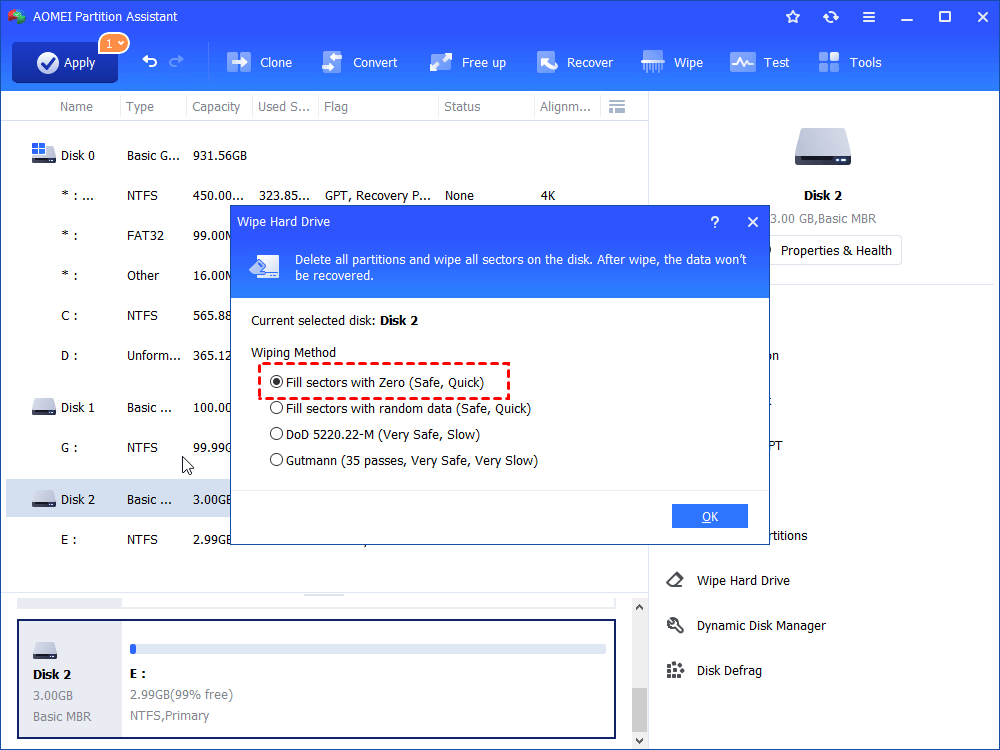
Step 2. Tick "Fill sectors with Zero" and click "OK". And you can upgrade to Professional Edition to choose the 3 other options.
Notes:
● Fill sectors with Zeros: Overwrite all sectors with zeros. It is common to wipe a personal hard drive. It is safe and fast.
● Fill sectos with random data: It overwrites hard drive with random data. It is more secure than the first one.
● DoD 5220.22-M: DoD standard is firstly pubilished in Department of Defense of the U.S. It is much securer than "zero-filling" and "random data filling" and faster than the Guttman. Thus, it is often adopted by companies and organizations.
● Gutmann: It overwrites a hard drive with 35 passes. It is the safest way here, but it also takes the longest time.
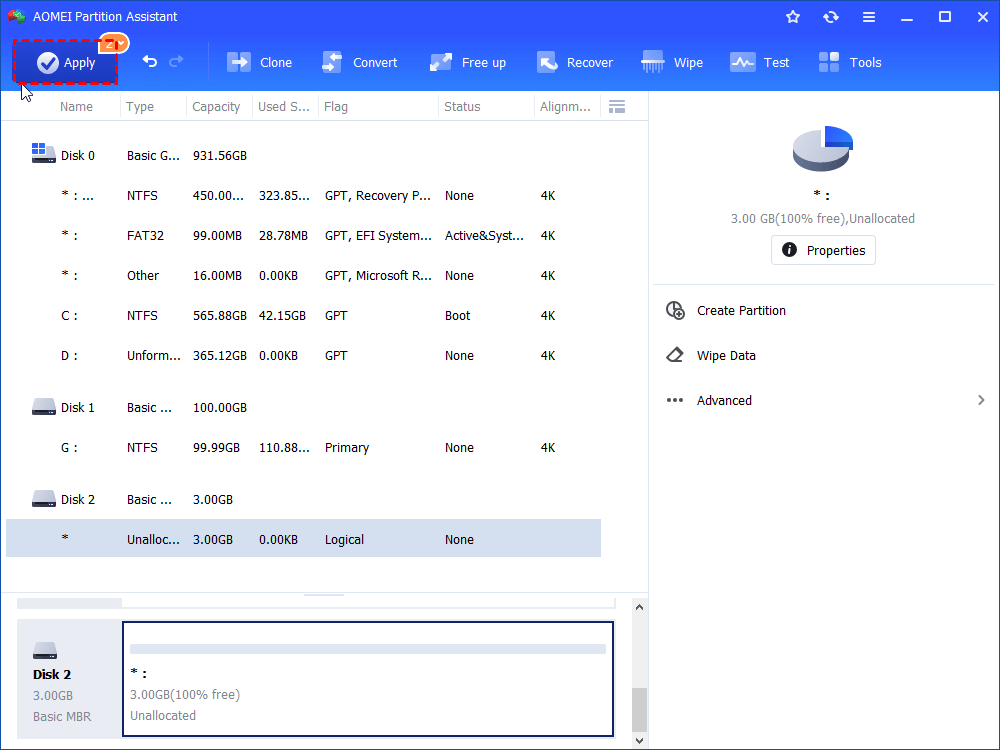
Step 3. After all above operations about wipe hard drive, click "Apply" in the top toolbar to commit them to your physical disk.
▶ Wipe single partition
With the feature, you can wipe a partition that already existed.
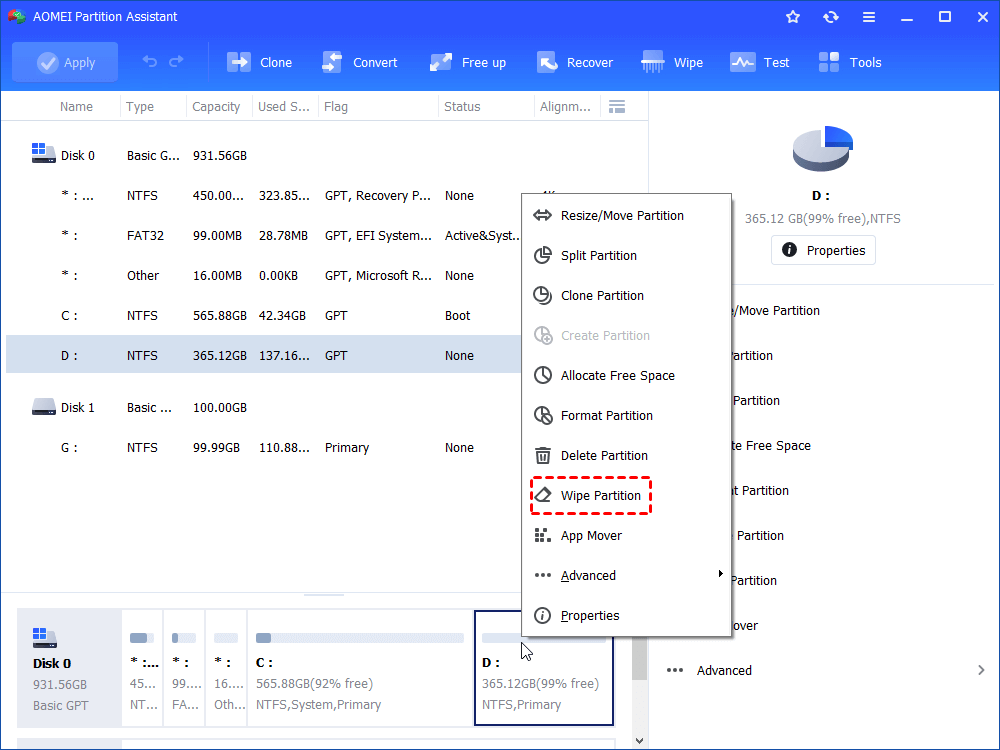
However, you should notice that, depending on the amount of data and property of the hard drive, it may take a long time to wipe hard drive or require restarting. And once your data have been cleaned up, it will never recovered by any data recovery program.
Wipe data on an Solid-State Drive Securely
Because of the different structures of HDD and SSD, you cannot use the same way to wipe SSD, otherwise the lifespan of the SSD will be decreased. And you can turn to the AOMEI Partition Assistant Professional, it provides a "SSD Secure Erase" that is specially for wiping solid-state drive.
Step 1. Connect the SSD to a Windows 7 based computer and make sure it is not the boot drive.
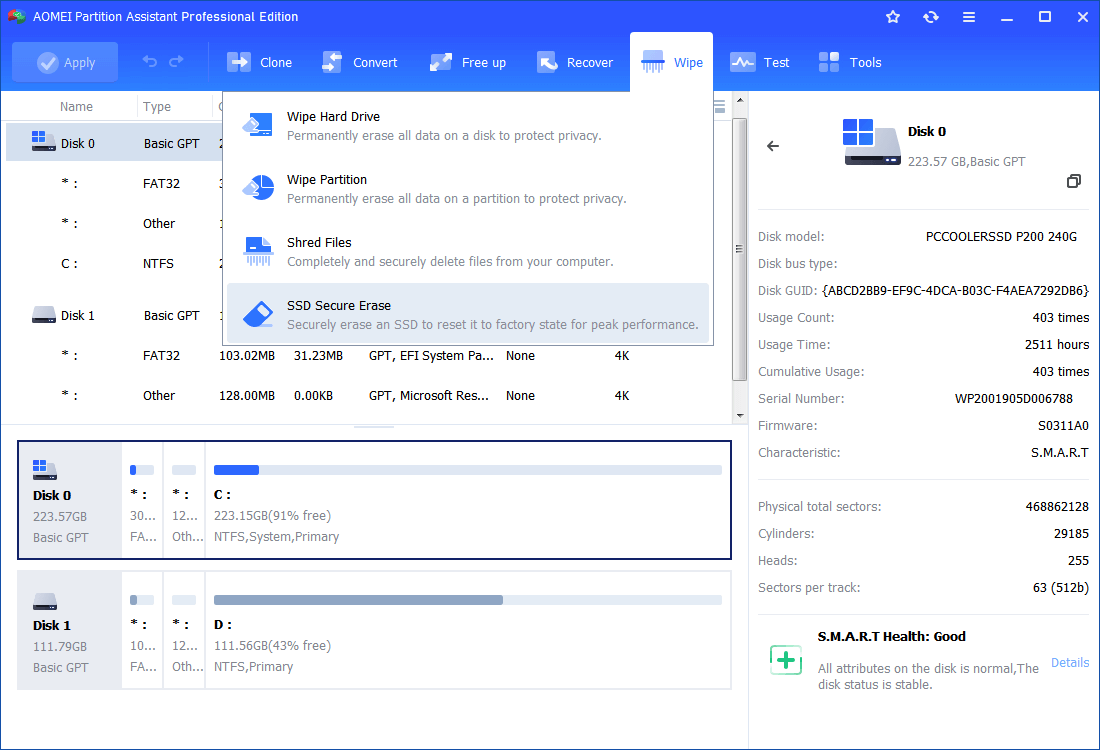
Step 2. Run the installed software. Click the “Wipe” button at the top side and select the “SSD Secure Erase” option.
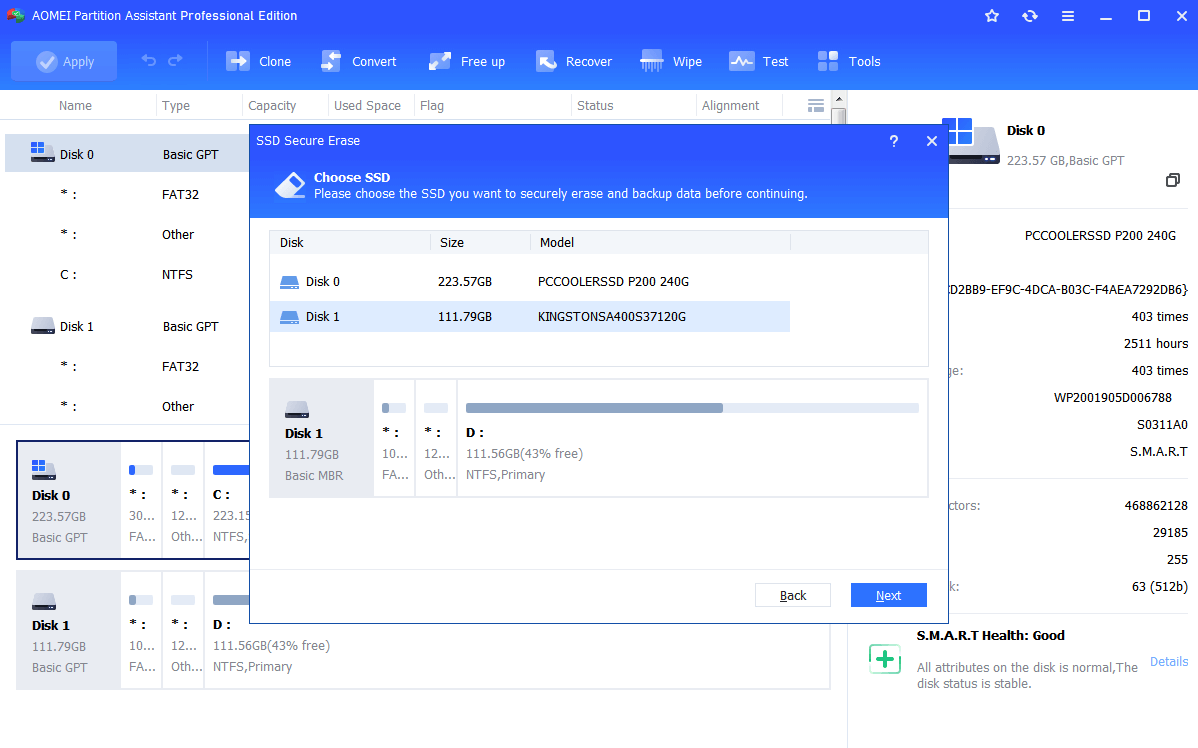
Step 3. Choose the target SSD you want to erase, and click "Next".
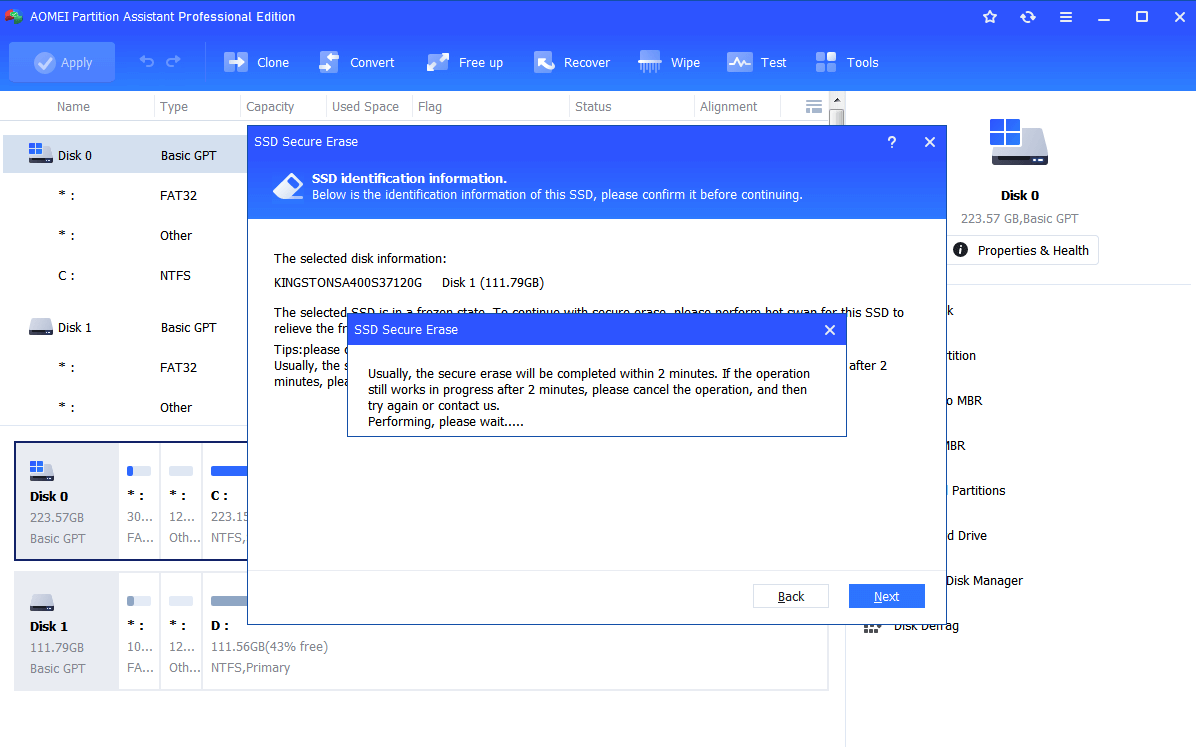
Step 4. It is normal that the SSD will enter in frozen state. You can do a Hot Swap to unfreeze it.
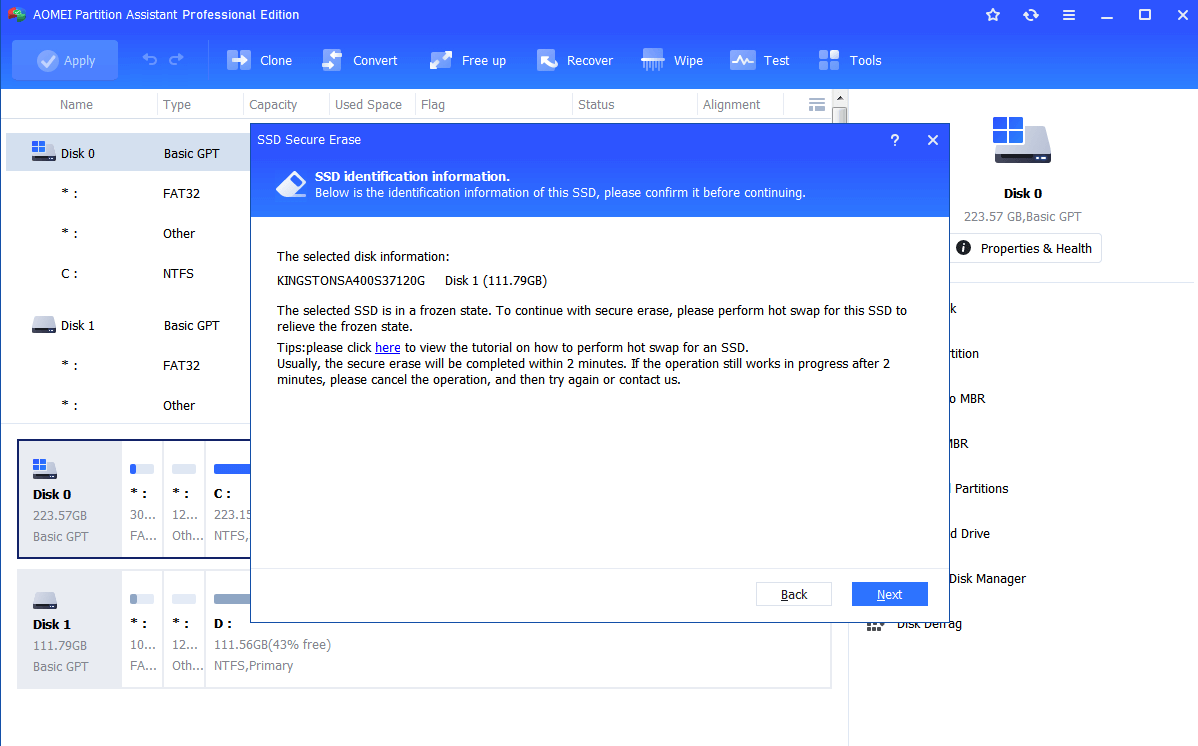
How to perform a Hot Swap?
✎ Open computer case cover. If it is a laptop, open its back cover or hard shell;
✎ Find the SSD that need to be secure erased;
✎ Unplug the power cable from the SSD;
✎ Unplug SSD’s SATA cable;
✎ Re-plug the SATA cable to the SATA port of SSD
✎ Re-plug power cable to the power port.
Step 5. Then, you can successfully and securely erase all data on the SSD. Wait for the process completes.
Summary
AOMEI Partition Assistant Standard is a nice choice to wipe data on a hard drive or disk in Windows 11/10/8/8.1/7/Vista/XP, both 32 bit and 64 bit. If you need to wipe a hard drive or a partition on Windows Server systems, you can employ the AOMEI Partition Assistant Server version.