
How to Easily Copy Partition with Partition Assistant?
How to back up data or system partition? Partition copy could help you quick back up your important partition or migrate system partition from one hard disk to another hard disk.

Overview of copy partition
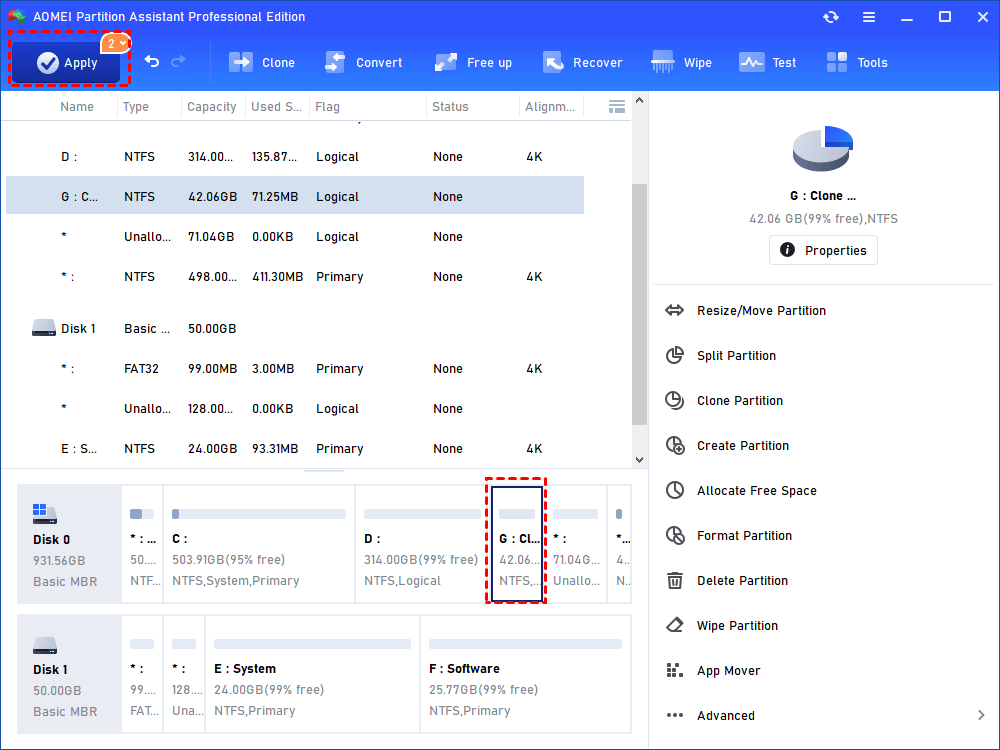
How to copy partition with Partition Assistant
Before you do
- Download and install AOMEI Partition Assistant on a Windows computer.
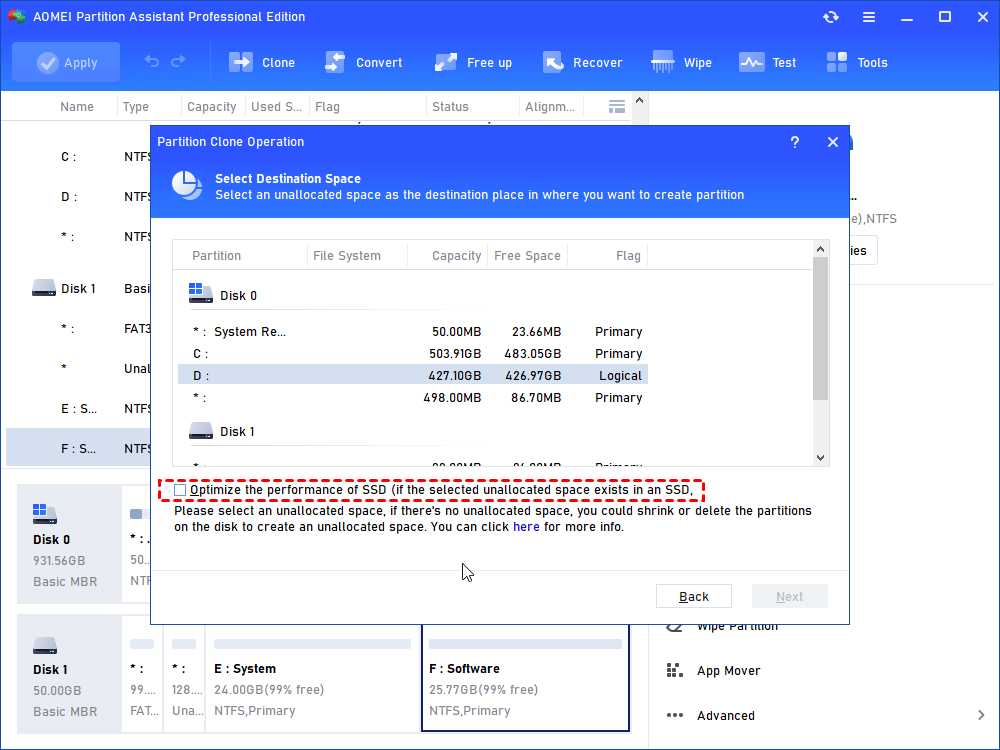
- Only the unallocated space could be selected as the destination place. You could delete unused partitions or shrink other partitions to get an unallocated space if there is no unallocated space.
- If there are other applications running on the partition which you are going to perform, AOMEI Partition Assistant will notice you to close those applications or to execute this operation under Windows PE or PreOS Mode.
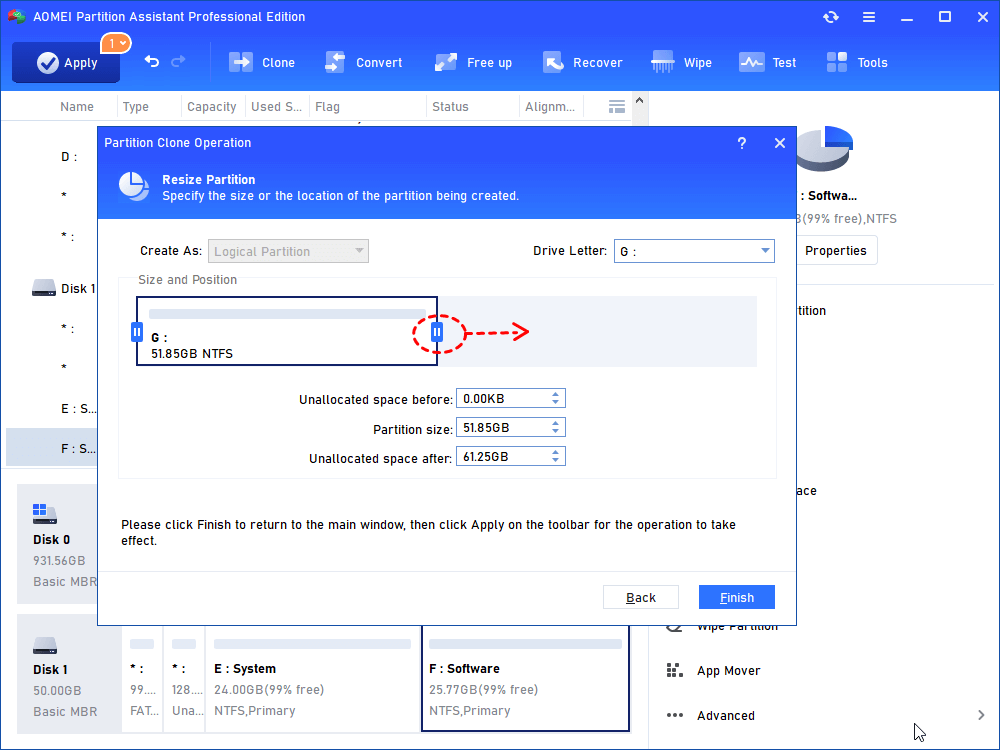
How to copy partition step by step with Partition Assistant
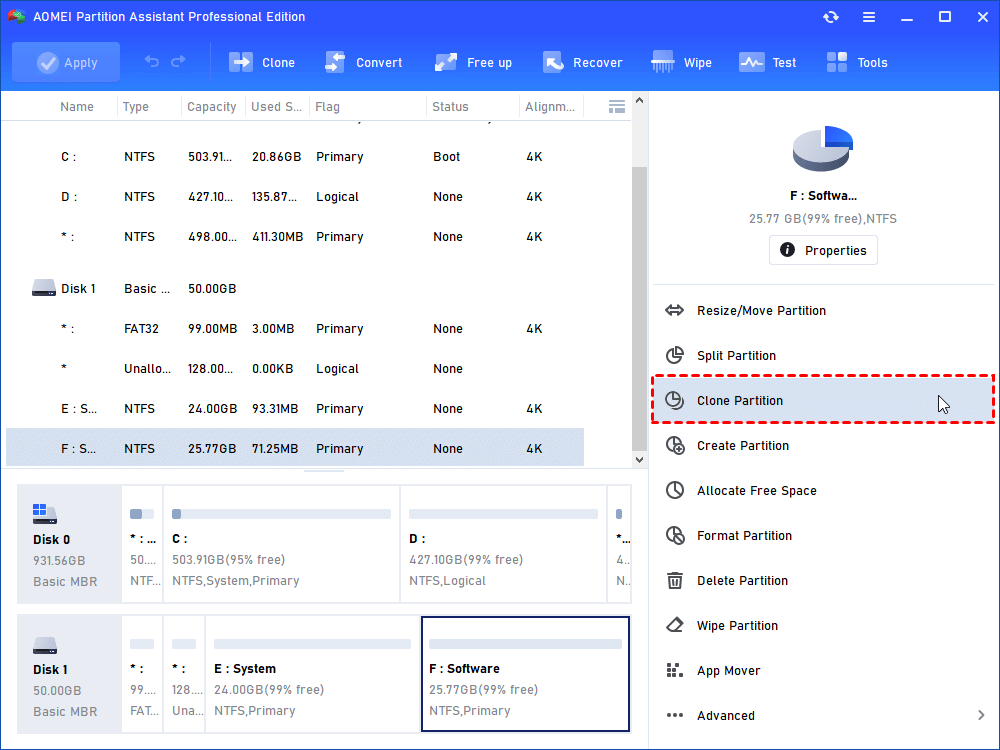
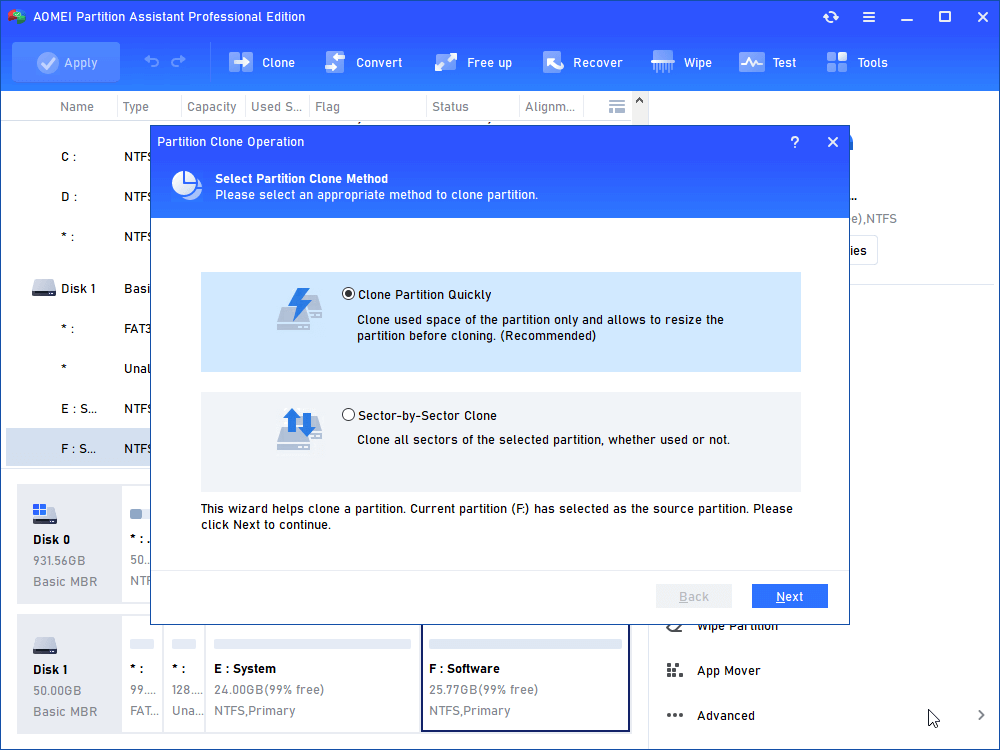
Tips:
-
If you select the "Clone Partition Quickly" method, the unallocated space could be smaller than the source partition but must be larger than the used space of the source partition.
-
If you select the "Sector-by-Sector Clone" mode, the unallocated space must be equal or larger than source partition. Otherwise, the "Next" button will grey out and you cannot continue.
Conclusion
Copy partition is a common method for data backup and recovery, allowing for a complete replication of the content of one hard disk partition to another.
Here are some common use situation for cloning partitions:
1. Data and partition backup and recovery: Cloning partitions serves as an effective method for creating backups of important data. By cloning a partition, you can have an exact replica of the source partition, allowing for easy recovery in case of data loss, system failures, or hardware issues.
2. Software development and testing: Cloning partitions is valuable for software developers and testers who need to create identical test environments. By cloning a partition with a specific software configuration, developers can quickly set up multiple test environments without going through the entire installation process each time.
3. Disaster Recovery: In the event of a system failure or a catastrophic event, such as a hard drive crash or malware infection, having a cloned partition can be crucial for swift recovery. With a cloned backup, you can restore the entire system and get back to normal operation with minimal downtime.
Notes:
- If you clone system partition, the operation might need to be completed under the Windows PE or PreOS Mode.
- To clone a system-related partition with the feature is not sufficient to make a bootable clone.
FAQs:
Q: What is difference between partition clone and disk clone?
A: Partition clone focuses on copying individual partitions on a drive, while disk clone involves replicating the entire disk, including all partitions and data.
Q: How long will it take to copy a partition?
A: The time to clone a partition depends on various factors, such as the size of the partition, the speed of the storage devices involved, and the performance of your computer. Cloning larger partitions may take more time compared to smaller ones.
Q: Can I use the feature "Clone Partition" to clone my current system partition?
A: Yes, you can clone the current system partition with the feature but we do not guarantee it works to boot after partition cloning. To make a bootable clone of your system, it is recommended to use the feature "Migrate OS to SSD" or "Clone Disk".