
Change Drive Letter
If you purchase new disk, you may find that drive letters for this disk are assigned by Windows automatically and you can change them according to your preference via Aomei Partition Assistant.

In order to access the files and folders more accurately, Windows typically assigns a letter of the alphabet to most drives (C: D: E: etc.). However, confusion may occur among those drive letters when you finish upgrading computer system or connecting multiple hard disks. If you want to bring order out of chaos and reorganize your drives in a certain way, changing the drive letter can be the most effective way. For instance, when you add a new disk to your computer, all of the drive letters will be automatically assigned by Windows system. Change Drive Letter simply provides a way to assist you to modify the letters according to your preference; D for G, E for H, and so on.
Before you do
If there are other applications running on the partition for which you are going to change drive letter, AOMEI Partition Assistant will notice you close those applications.
To change a drive letter
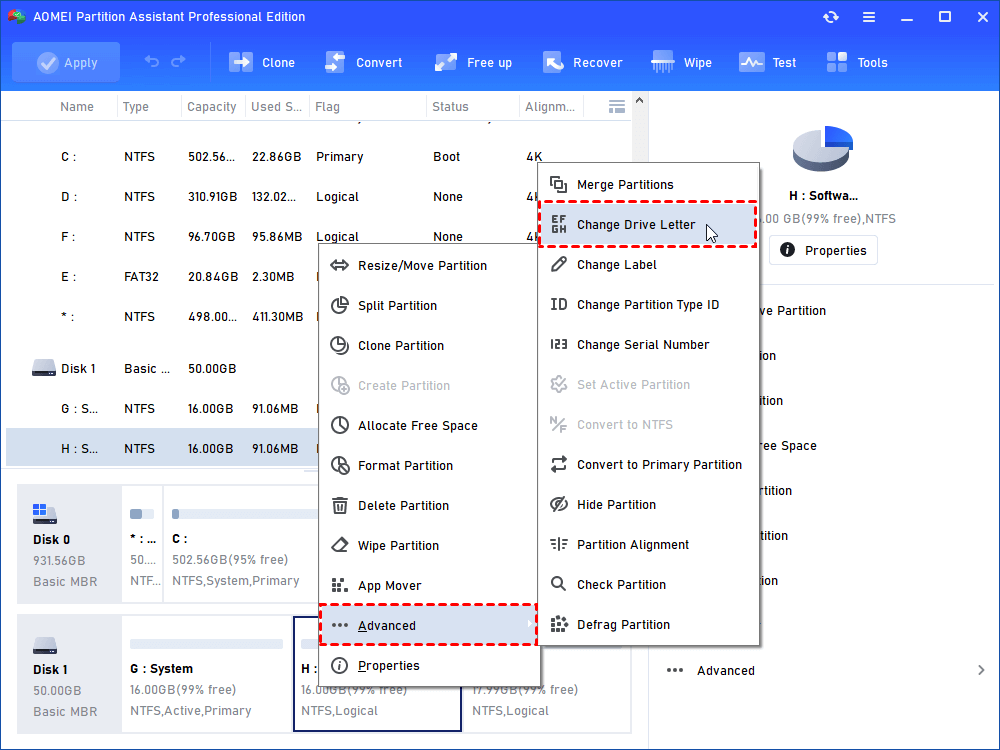
Step 1. Select a partition to which you want to give a new drive letter, right-click it to open a pop-up menu, after that, click "Advanced" -> "Change Drive Letter".
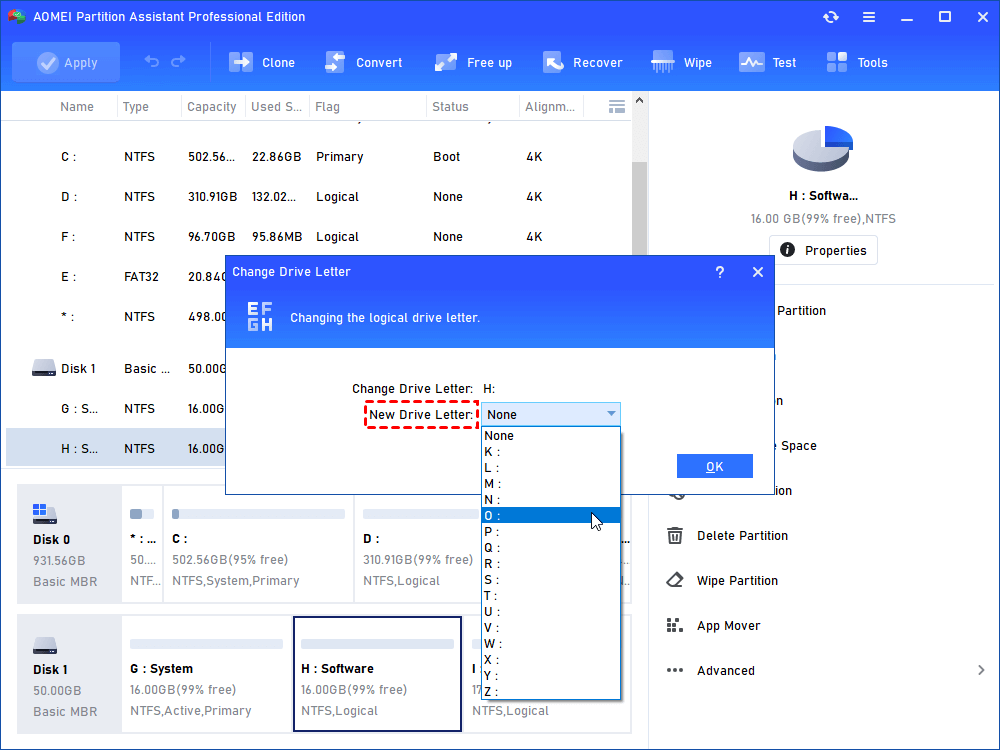
Step 2. You will see a new pop-up window as shown in the picture below. Click the little box behind "New Drive Letter" to start a pop-down menu and choose which letter you like as your new drive letter (you can assign any letter to a drive so long as the letter doesn't been taken up by other drives, and the drive letter will be removed if you choose None as the new drive letter).
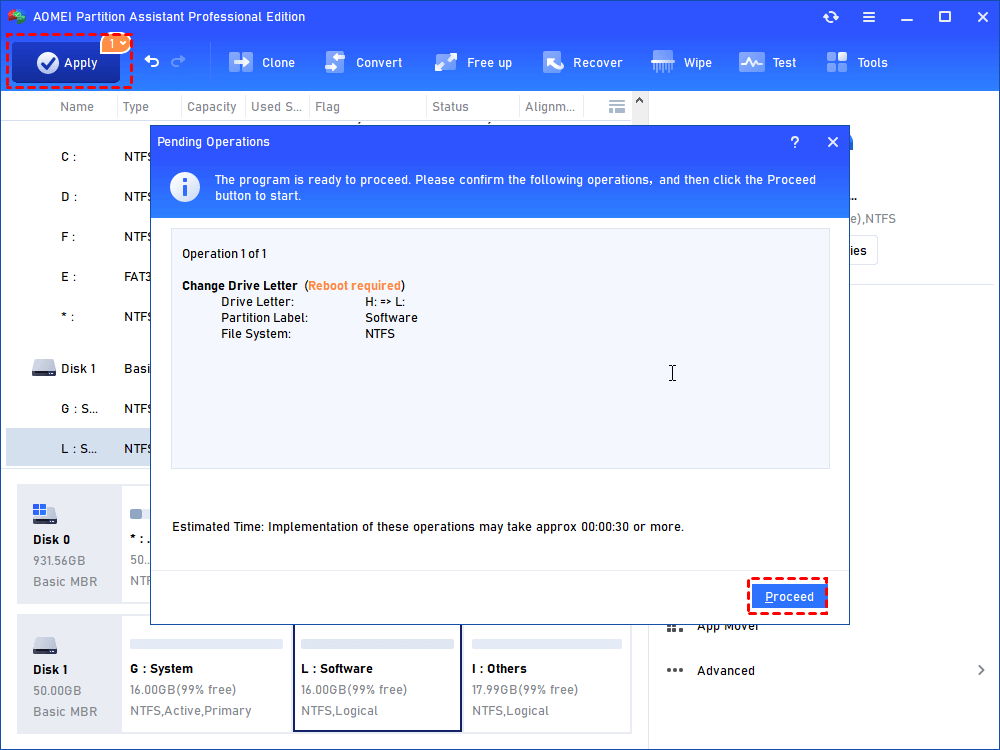
Step 3. Click "OK" after the new drive letter has been chosen, after that, the new drive letter will be represented in the main window. Then click "Apply" to commit the operation. (As shown, I change the F to I)
Notes:
▪ Many programs and their shortcuts make references to specific drive letters. Directly changing a drive letter might cause those programs and shortcuts to work incorrectly.
▪ You will not be allowed to change the drive letter for a partition in which system has been installed.