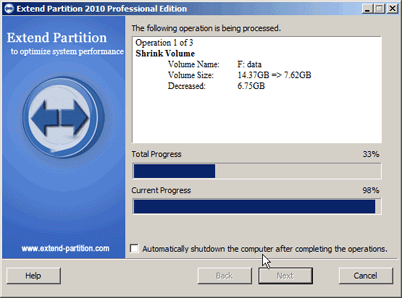

How to Expand System Drive in Windows Platform with Extend Partition Software?
Why do we need Extend Partition software?
Since the launch of Windows Vista, Microsoft has developed a built-in Extend/Shrink partition functions in the Disk Management tool to help computer users to well manage their hard drives. The functions can be worked on Windows 8/7/Vista and Server 2008, but in some cases Disk Management can not extend/shrink your partition as you wish. Like on Windows XP/2000/2003, to extend partition or shrink partition, you only need to use a third party tool to do such jobs. For the purpose of solving the problem, the Extend Partition (Partition Assistant) software come into being.
What the Extend Partition (Partition Assistant) utility can do?
- It's perfect software that is specifically designed to extend partition with advanced technology.
- It can safely shrink the large partition to release more space.
- It can move the given partition from one location to another location on the disk.
- It can completely replace the "Extend Volume" function of Windows disk management if there is no allocatable space in the disk or the "Extend Volume" function is not available.
- More Features.
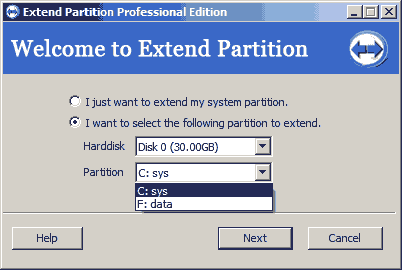
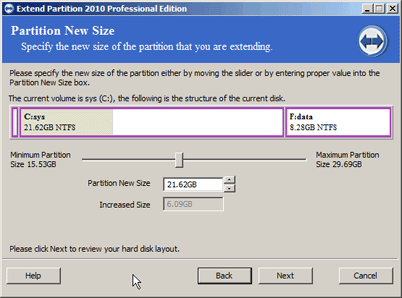
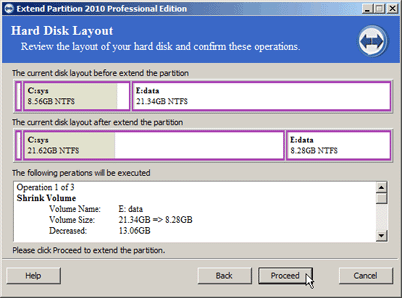
How to use the Extend Partition software to expand the size of your partition?
Please download a demo version of the software to have a test on your drive. You can download Free AOMEI Partition Assistant to expand the size of partition, and also, AOMEI Partition Assistant Pro will help you deal with this problem.